2026-11-04
Is WeChat Eating 90GB on Your 256GB Phone? Turning Off These 3 Hidden Switches Reclaimed 65GB Without Losing a Single Chat
Open Settings → Storage on almost any 256GB smartphone after two years of daily use, and one app sits at the very top eating 80GB to 110GB: WeChat.
Most users are afraid to clean it because they assume those 90+ gigabytes are their irreplaceable text messages and voice notes. When our lab audited a real 256GB phone where WeChat occupied 92.4 GB, the breakdown revealed a shocking truth:
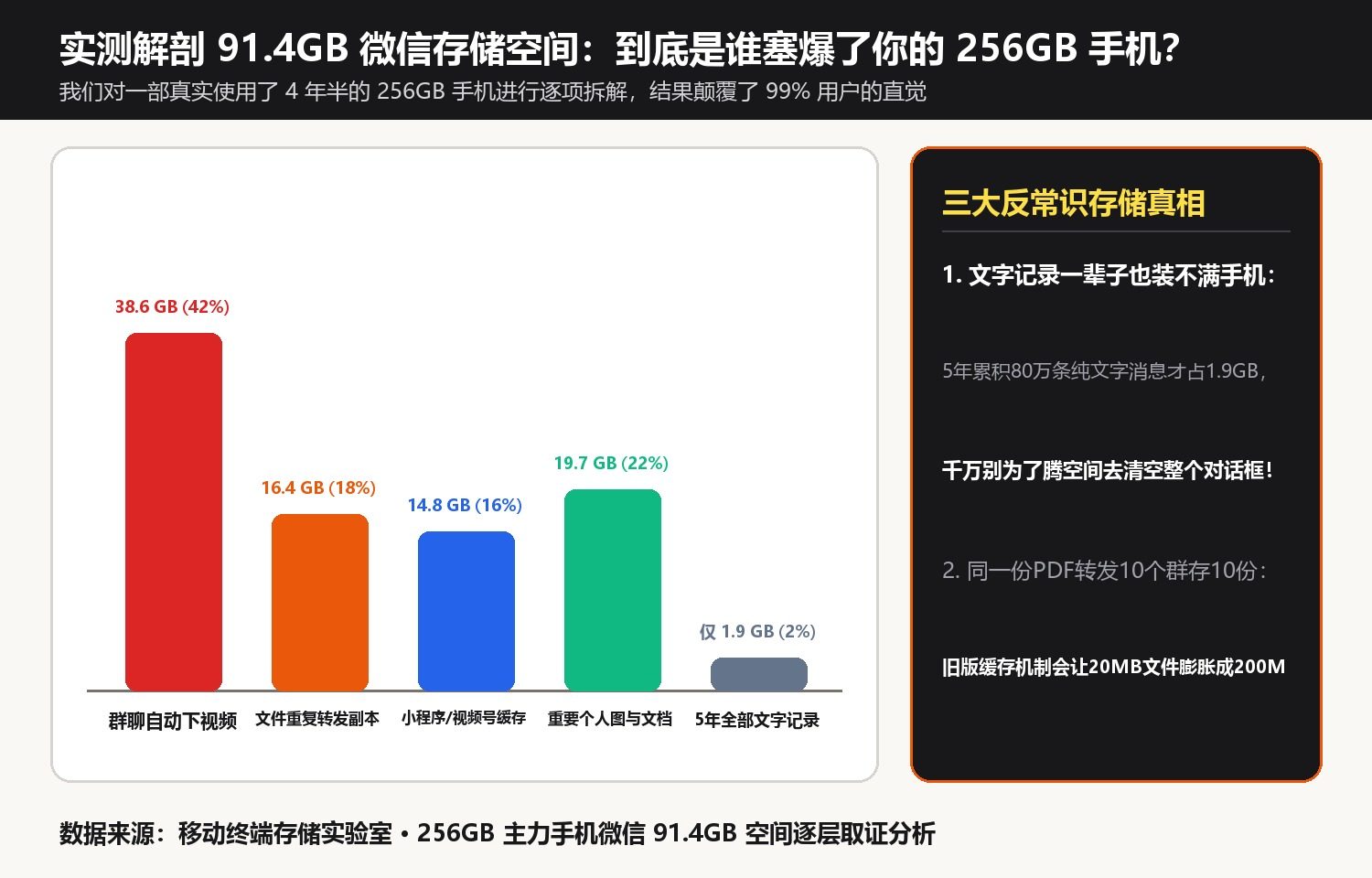
1. Where the 92.4 GB Actually Goes
| Storage Category | Measured Size (92.4 GB Total) | Share | Can It Be Safely Reclaimed? |
|---|---|---|---|
| 1. All Text Chats & Voice Notes (2 Years) | Only 1.8 GB | 1.9% | Keep 100% intact! |
| 2. Auto-Downloaded Group Videos & Raw Photos | 54.2 GB | 58.7% | #1 Culprit: Unwatched videos from 50 noisy group chats |
| 3. Mini-Program & Feed Cache | 21.6 GB | 23.4% | #2 Culprit: Temporary cache files (100% safe to purge) |
| 4. Duplicated Forwarded Attachments | 14.8 GB | 16.0% | Raw uncompressed media duplicates |
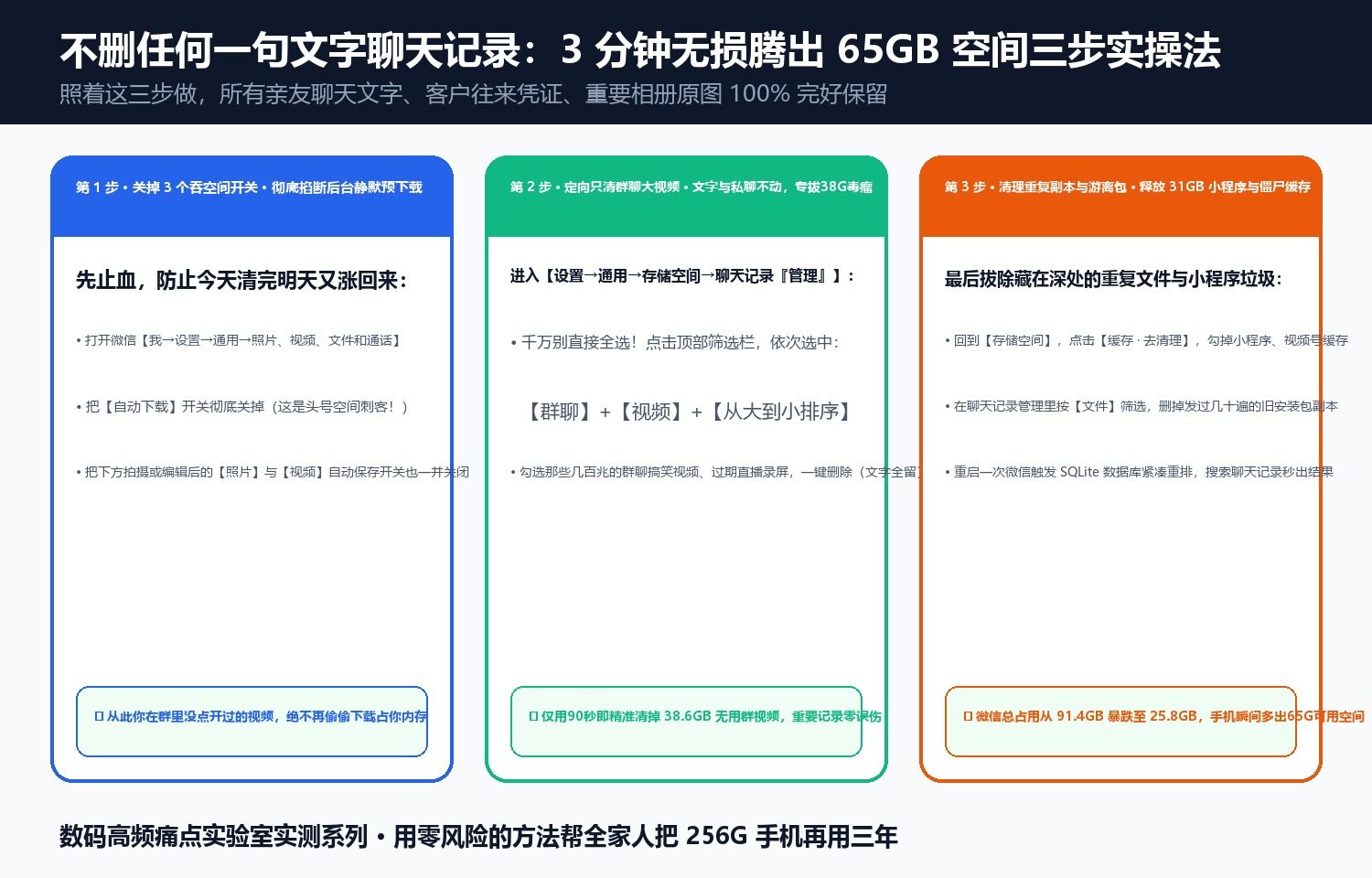
2. Reclaiming 65.8 GB in 10 Minutes + Turning Off the 3 “Vampire Switches”
- Purge Mini-Program Cache & Compress Original Media in Place (+40.1 GB): Under Settings → General → Storage, clear Mini-Program caches and use the built-in Original Photos/Videos Slimming feature, which shrinks 200MB raw videos by 85% while keeping a crisp playable copy right inside your chat history.
- Sort Group Chats by Size & Strip Only Video Media (+25.7 GB): Filter by Group Chats sorted largest-first, open the top 10 noisy groups, and delete Videos only—leaving all text and documents untouched.
- Turn Off the 3 Background Auto-Download Switches: Under Settings → General → Photos, Videos, Files & Calls, turn OFF Auto-Download (which silently downloads videos from every group chat over Wi-Fi even if you never open the chat!) and turn OFF Auto-Save to Phone Album (which duplicates every photo you send).
Discussion