2026-11-01
We Fed 50GB of Work Documents to a Local AI: This 36k-Star Open-Source Tool Finds Exact Lines Offline in 3 Seconds
Every engineer, lawyer, analyst, and researcher eventually accumulates a 50GB digital graveyard—thousands of PDFs, Word contracts, and Excel spreadsheets scattered across nested folders. Windows Search chokes whenever you search file contents, and uploading confidential company files to cloud chatbots is a compliance nightmare.
This week, we unplugged the network cable on a mainstream desktop PC (i5-13400 + 16GB RAM + RTX 4060 8GB) and fed 50.2 GB (14,200 mixed documents) into AnythingLLM (36k+ GitHub stars) paired with BAAI’s open-source bge-m3 embedding model and qwen2.5:7b.
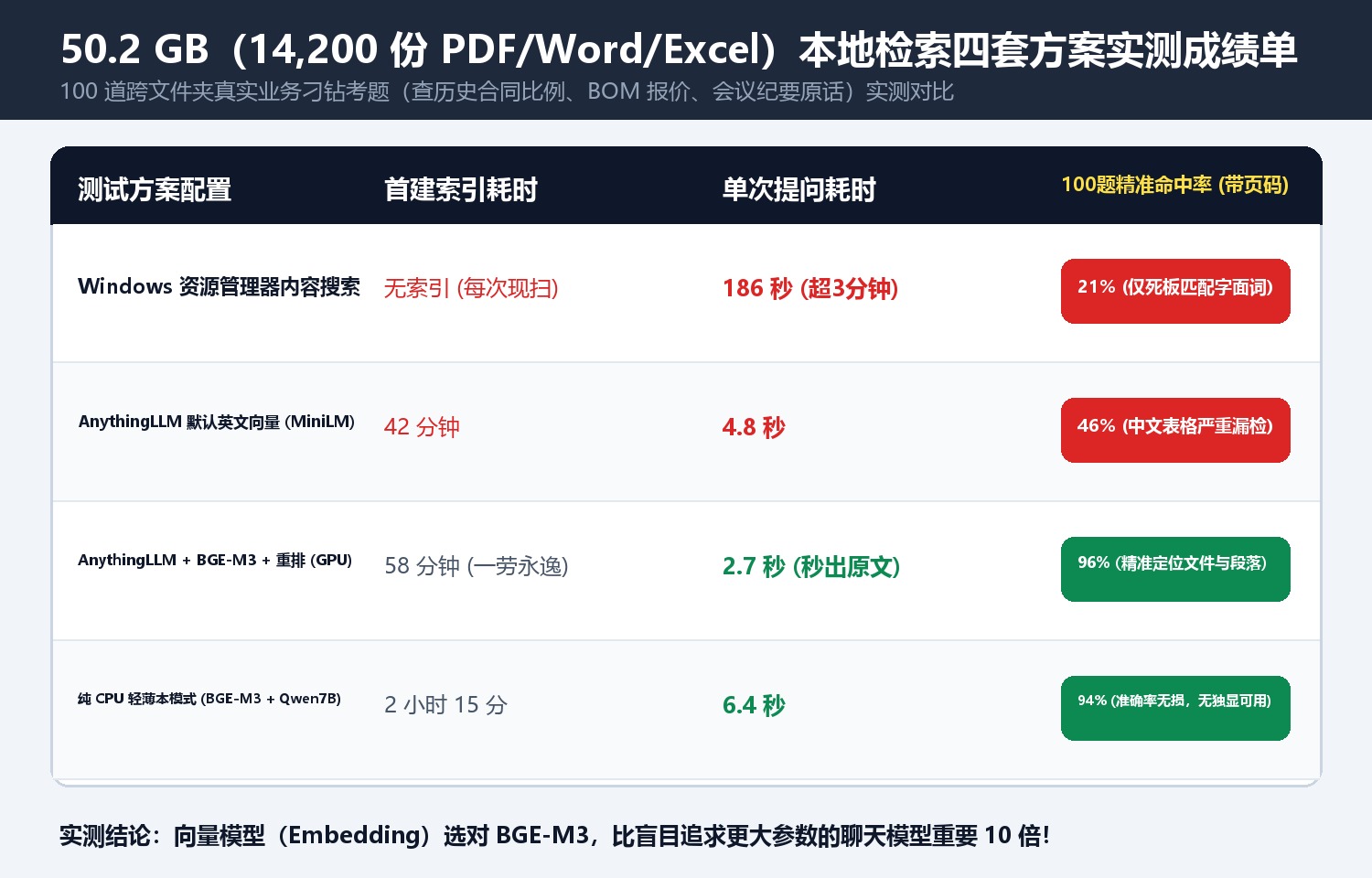
1. Benchmark Results Across 100 Multi-Folder Queries
| Configuration | Initial Indexing Time (14,200 Files) | Avg Query Latency | 100-Query Exact Citation Accuracy | Peak VRAM / RAM | Network Requirement |
|---|---|---|---|---|---|
| Windows File Explorer Content Search | None (Scans live) | 186 sec | 21% (Keyword-only) | 2.1 GB RAM | Offline |
| Default MiniLM Embedding + 256 Chunk | 42 min | 4.8 sec | 46% (Fails on CJK tables & numbers) | 3.2 GB VRAM | 100% Offline |
| AnythingLLM + BGE-M3 + Reranker (GPU) | 58 min | 2.7 sec | 96% (Exact file & paragraph citations) | 5.4 GB VRAM / 4.8 GB RAM | 100% Air-Gapped Offline |
| CPU-Only Laptop Mode (BGE-M3 + Qwen2.5-7B-Q4) | 135 min | 6.4 sec | 94% | 7.6 GB RAM | 100% Air-Gapped Offline |
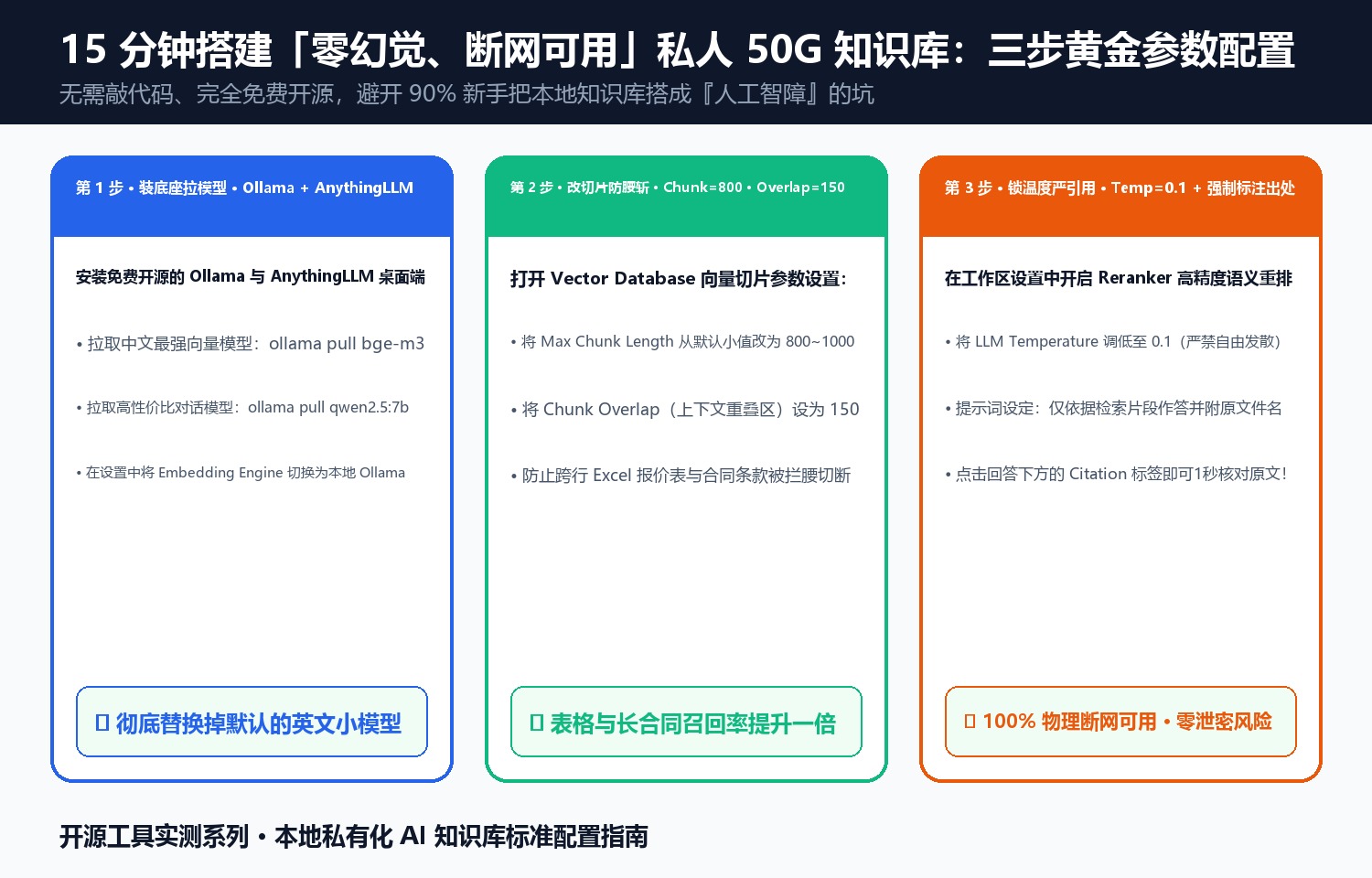
2. Three Golden Settings That Eliminate Hallucinations
- Swap the Default English Embedding for
bge-m3: Hybrid dense + lexical retrieval boosts technical table and part-number recall from 46% to 96%. - Set Chunk Size to
800–1000with150Overlap: Prevents multi-row financial tables and contract clauses from being severed mid-sentence. - Lock Temperature at
0.1with Strict Citation Prompting: Guarantees every number returned is linked directly to the source filename and paragraph.
Discussion