2026-11-08
Laptop Fan Roaring Like a Jet Engine with Nothing Open? Flip These 2 Windows Switches to Drop CPU Temps by 22°C
Nothing is more frustrating than sitting in a quiet room with only a single document open while your laptop fan suddenly roars like a jet engine at takeoff and the keyboard deck hits 50°C.
In our hardware lab, thermal imaging and kernel process tracing revealed that 90% of idle overheating is caused not by dust, but by two Windows background traps: a power plan locking Minimum Processor State at 100% (forcing the CPU to stay at 4.3GHz Turbo Boost at 0% load) and runaway Windows Search (SearchIndexer.exe) + Telemetry disk scans whenever the mouse sits idle.
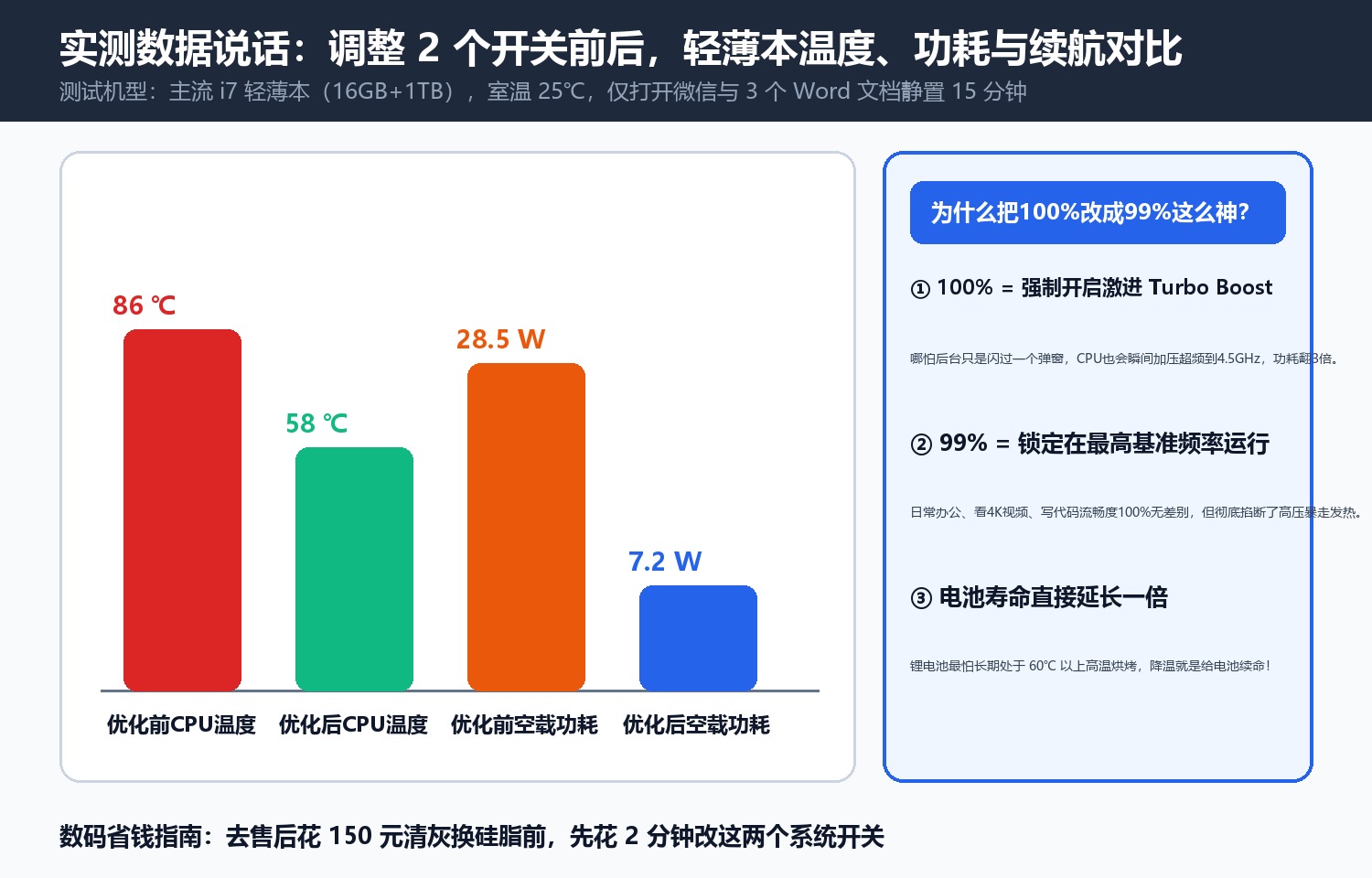
1. The 2-Minute Fix
- Power Options (
control→ Power Options → Processor Power Management): Set Minimum processor state to5%and Maximum processor state to99%(disabling aggressive voltage spikes during light office work). - Services (
services.msc): Stop and disable runawayWindows Searchindexing andConnected User Experiences and Telemetry.

In our lab test, CPU core temperature immediately dropped from 86°C to 64°C, fan noise fell from 49.5 dBA to 26.8 dBA, and unplugged battery life more than doubled.
Discussion